Do you give your cashier your password?
Invite them to your Team. They sign in with their own account and see only what their role allows.
Team pass · Your Company
Cashier
Downtown Store · North Store
- Collect with links
- Collect with Tap
- View charge history
- Withdrawals and bank account
Per-charge limit · Access until Dec 31
Everyone signs in with their own account.
Team
- Seller Hub → Team → Invite person.
- Enter their @username or phone number and pick their role.
- They accept in Invitations. The invitation expires in 7 days.
Who does what, by role.
| Role | Live | Inventory | Shipping | Collections | Money |
|---|---|---|---|---|---|
| Administrator | Runs | Edits | Prepares | Collects | Refunds |
| Host | Runs | Views | No access | No access | No access |
| Production | No access | Edits and prices | No access | No access | No access |
| Shipping | No access | No access | Prepares | No access | No access |
| Cashier | No access | No access | No access | Collects | No access |
| Accountant | Views finished shows | No access | No access | Views history | Views |
| Withdrawals and bank account | Store owner only | ||||
With Custom, you choose every permission. Withdrawals and the bank account are never shared: they belong to each store's owner.
All your stores in one place.
Link store
- Create your Company. Your store joins first.
- Tap Link store and choose another store.
- Its owner has 7 days to accept.
One Company, several stores, each with its own owner.
Your Company
- Downtown StoreYour store · Store ownerLinked
- North StoreOwner: your business partnerLinked
- South StoreOwner: your cousinAwaiting confirmation
Where are you working now?
- Downtown Store
- North Store
This is how each person on your team switches stores.
Each owner accepts the link and keeps their own bank account and withdrawals. They can unlink their store anytime.
You set the limits.
Edit access
- Choose specific stores or All current and future stores.
- Set a per-charge limit and an end date, if you want.
- Up to 25 people and invitations per Company.
Every action has a name on it.
- AnaStarted a showDowntown Store
- BetoCreated a collectionNorth Store
- CaroMarked a shipmentDowntown Store
A sample Activity log. You see what each person did, and at which store.
Your first team, step by step.
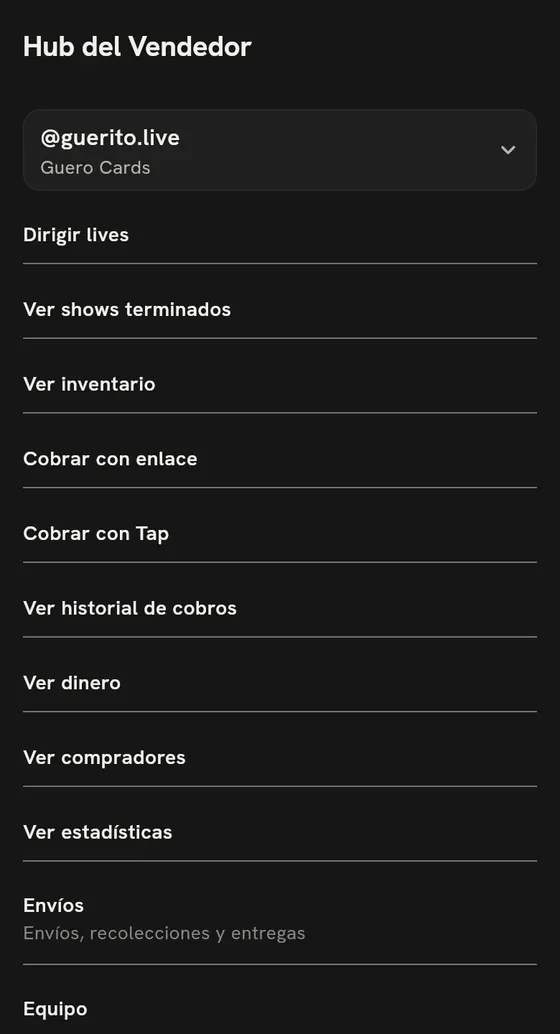
Tap Sell, open Seller Hub and open Team.
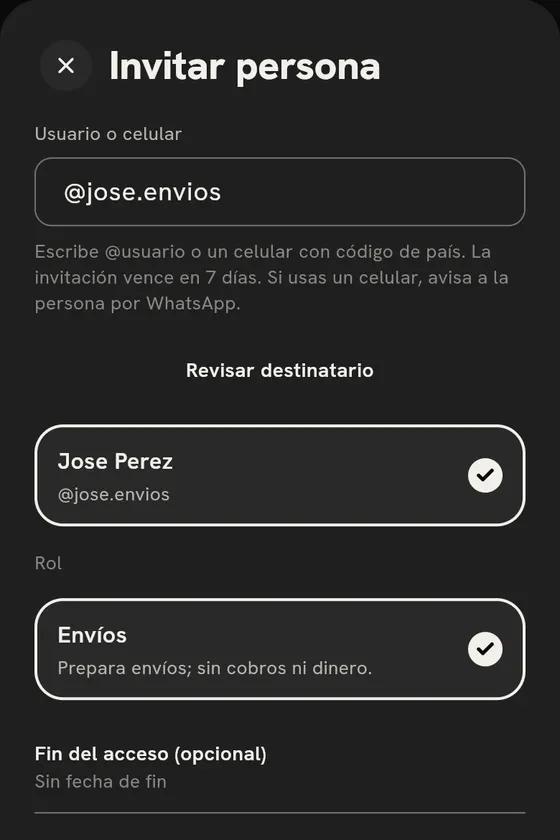
Tap Invite person, enter their @username or phone number and pick their Role.
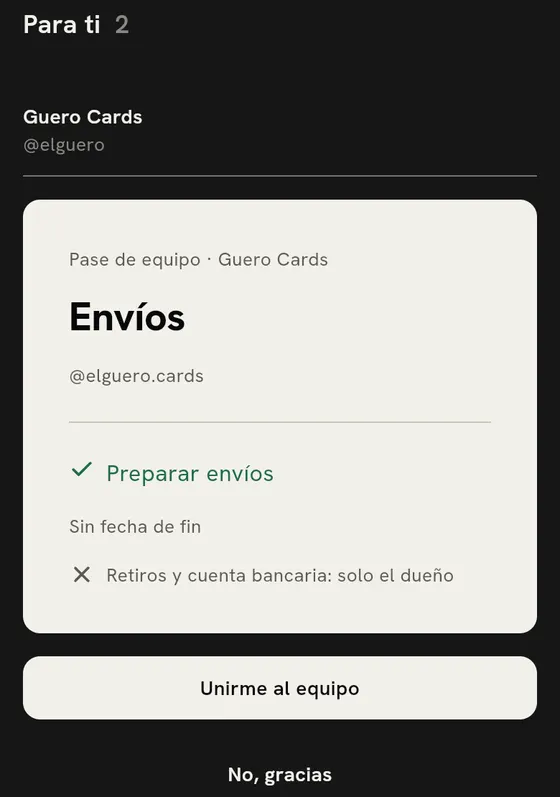
From their own account, the person taps Join the team.
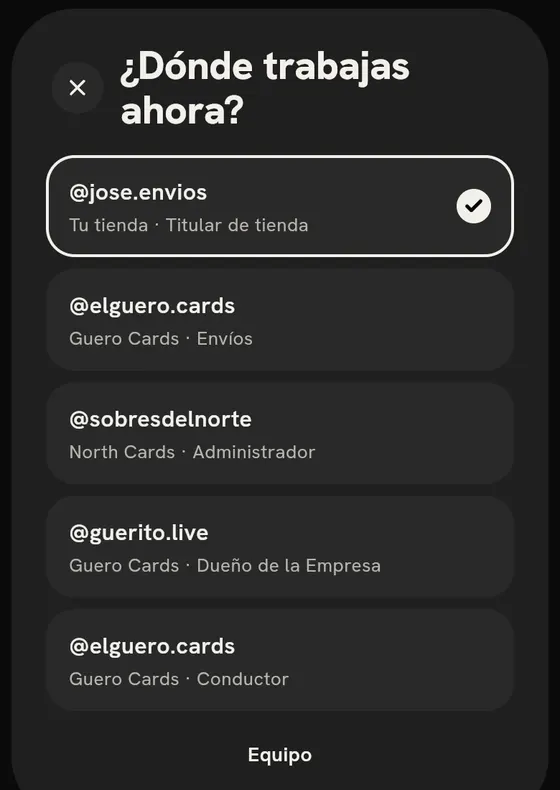
They switch stores in Where are you working now?
Do you give your cashier your password?
Invite them to your Team. They sign in with their own account and see only what their role allows.