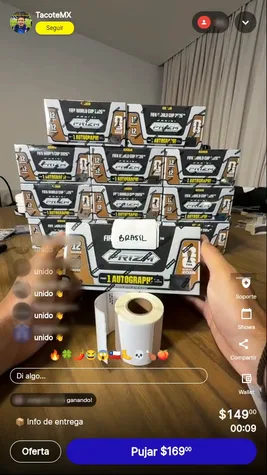
Sell every spot in your break at its highest bid, starting before the live.

Each spot is a team, a pack or a character. Your buyer leaves a max with Pre-bid or takes it with Buy now; you open the case on camera.

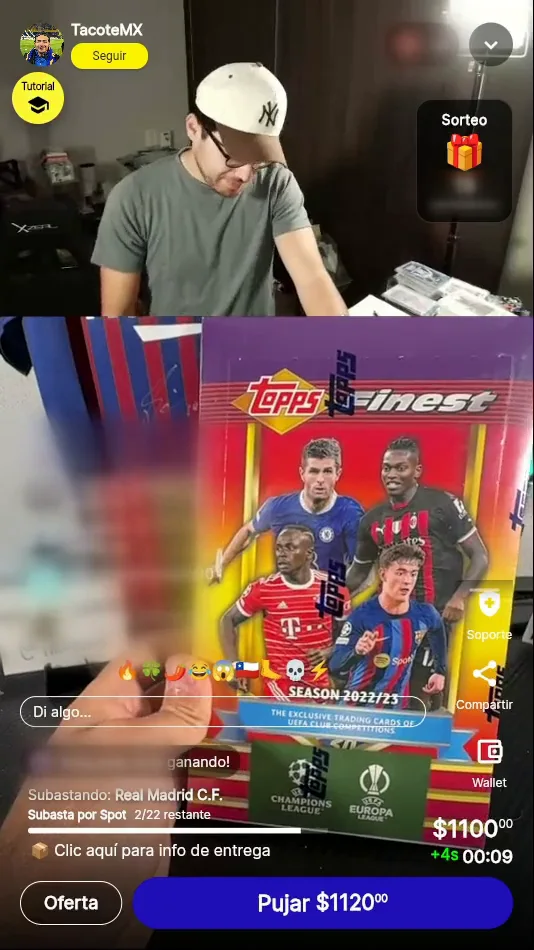
A real @TacoteMX break

What goes in a live card break

Sealed hobby boxes and cases, split into spots. One spot is one team: whoever wins it gets every card from that team that comes out.

Topps product, official images.

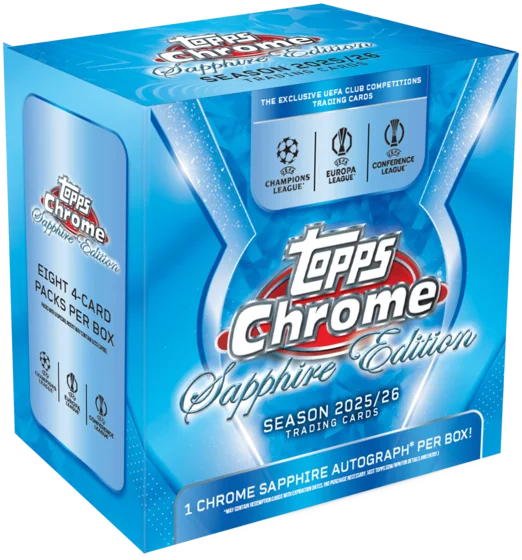
  • Topps Chrome UEFA Sapphire 2025/26 hobby box.
    Topps Chrome UEFA Sapphire 2025/26Spots: Real Madrid · Barcelona · Bayern
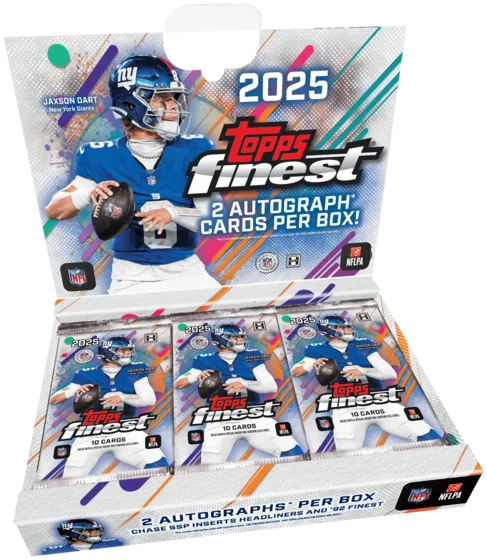
  • Topps Finest Football 2025 hobby box.
    Topps Finest Football 2025Spots: Chiefs · Eagles · Cowboys
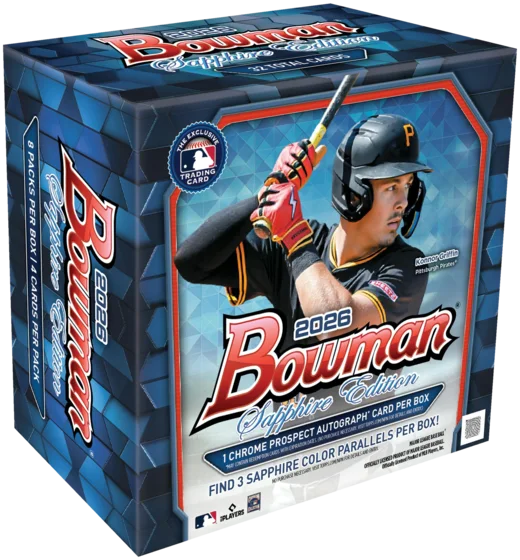
  • Bowman Baseball Sapphire 2026 hobby box.
    Bowman Baseball Sapphire 2026Spots: Dodgers · Yankees · Pirates
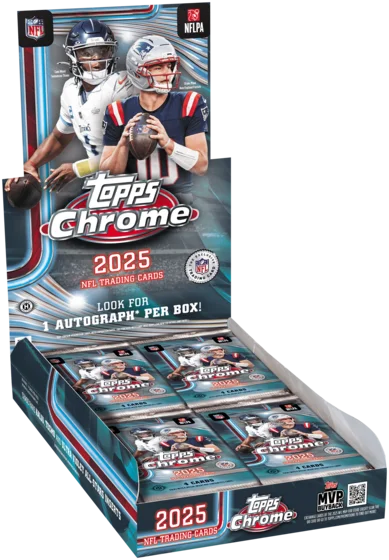
  • Topps Chrome Football 2025 hobby box.
    Topps Chrome Football 2025Spots: 49ers · Lions · Ravens

Every spot gets its own auction and clock

Starting bidWhere each spot starts; pre-bids below it don't count.
Extra time for late bidsA last-second bid winds the clock back so others can answer.
Sudden deathThe clock runs to zero with no extensions.
Type or paste a listLoad all your spots in one go, one team per line.

Pokémon breaks

Every spot gets the cards that belong to it, whatever comes out of the box.

By pack

Each spot is a sealed pack from the box you open on camera.
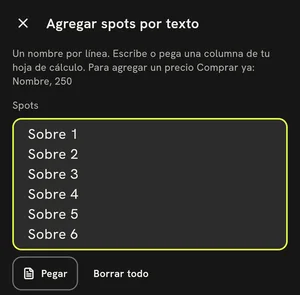
Onda app: “Add spots by text” with Pack 1 to Pack 6, one spot per line.

By character

Each spot is a Pokémon and gets every card of it that comes out.
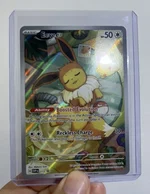
  • A Eevee card that @LaPolleriaTCG sold on Onda.Eevee
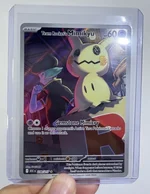
  • A Mimikyu card that @LaPolleriaTCG sold on Onda.Mimikyu
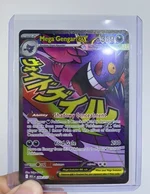
  • A Gengar card that @LaPolleriaTCG sold on Onda.Gengar

Real cards from @LaPolleriaTCG

By energy

Each spot is an energy type and takes the whole pack when its energy shows up front.

  • Grass
  • Fire
  • Water
  • Lightning
  • Psychic
  • Fighting
  • Darkness
  • Metal
  1. You open a pack
  2. Fire shows up front
  3. The Fire spot takes the pack

Random energy or character? That's a Surprise set: Onda draws the spot in front of everyone.

Your buyers set their max before you even start.

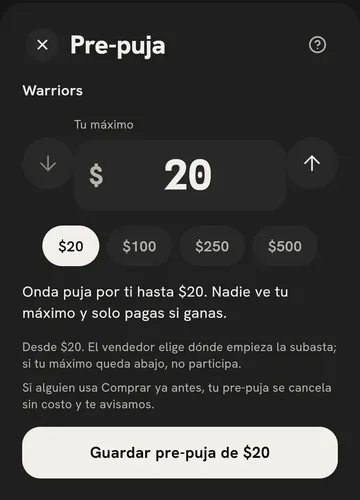
Pre-bid

  1. You publish your break and every spot shows up in the Show shop.
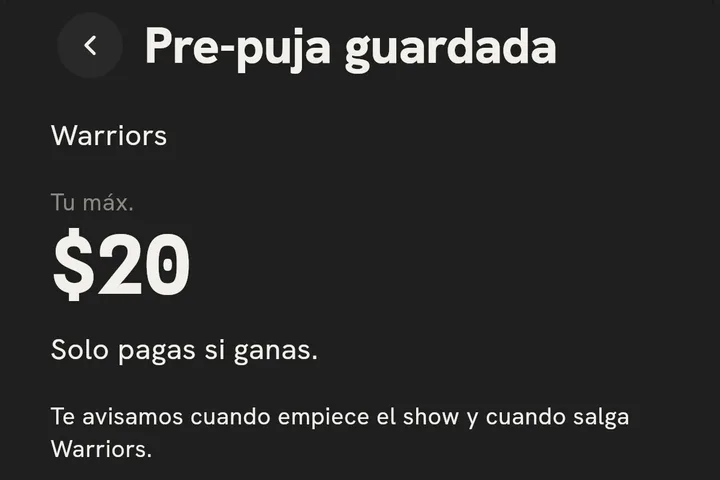
  2. Your buyer taps Pre-bid and sets a max; nobody else sees it.
  3. When the spot opens, Onda bids for them up to that max. They pay only if they win.

Get your price for a spot without waiting for its auction.

Buy now

  1. Set a Buy now price (optional) on any team you want.
  2. Your buyer taps it before or during the live, as long as the spot is still open.
  3. They pay with Confirm and pay; that spot's pre-bids are canceled.
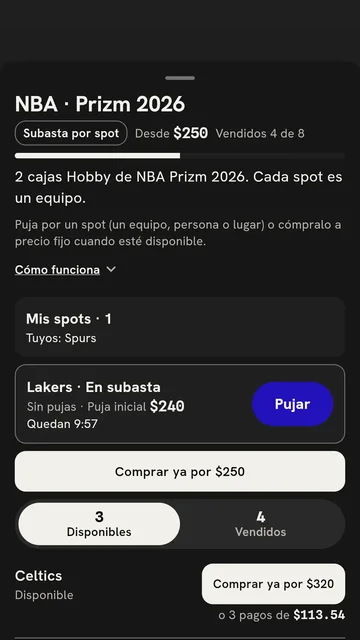
Onda app: a spot list with “Buy for MX$250” and the option to pay in 3 installments.
BrazilA spot in your break
  1. Buy now
  2. Paid at your price, before its auction
  3. Its pre-bids are canceled, no charge
  4. Sold at your price
  1. Pre-bid
  2. Each buyer leaves their max
  3. Live, Onda bids for each one up to their max
  4. Sold at the highest bid
Every spot has two ways out. Buy now closes the sale at your price before its auction; if nobody buys it, its pre-bids compete live.

Your buyer pays in installments and your spot keeps its price.

Pay in installments

  1. Your buyer goes in through Buy now.
  2. In Pay in installments, they pick 3, 6, 9 or 12 months and see the charge.
  3. Their bank splits the payment; your buyer pays the charge and your spot sells at its price.
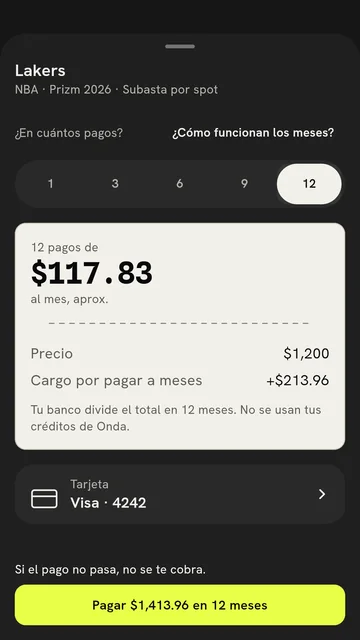
Onda app: the Pay in installments sheet with 12 payments, the spot price and the installment charge.

Your spots keep going while you open cards.

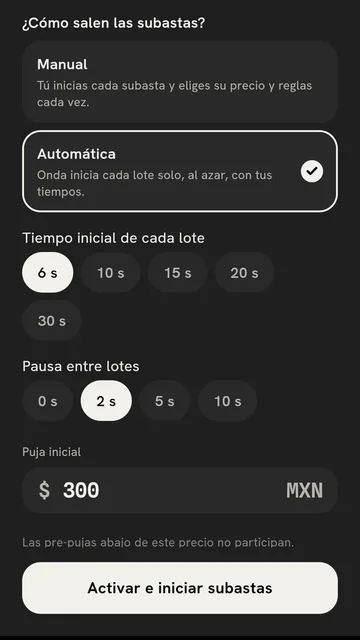
Automatic

  1. When you activate the break, pick Automatic and the time for each spot.
  2. Tap Activate and start auctions: Onda launches one spot after another, at random.
  3. Pause and Resume control the next one, without cutting off the current one.
Onda app: the seller picks Automatic, the starting time for each lot and Activate and start auctions.

In the queue

  • Mexico
  • France
  • Portugal
  • EnglandNo bids: back once

One goes at random

Japan
bid

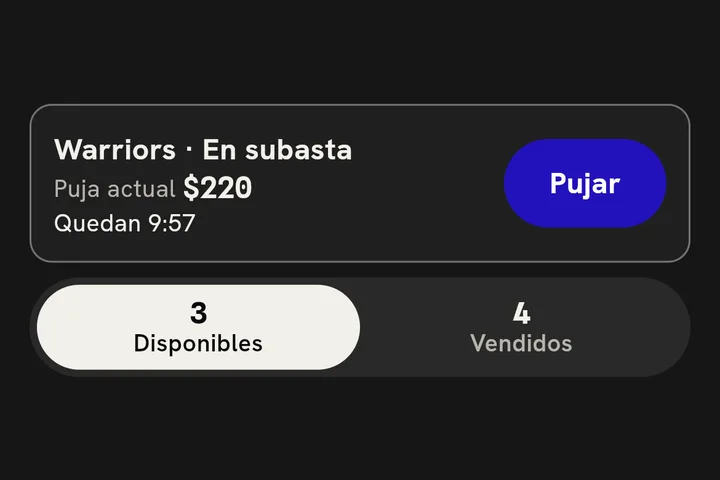
Its own clock. A late bid winds it back.

Already sold
  • BrazilSold
  • ArgentinaSold
With Automatic, Onda launches the next spot at random when the last one ends. You keep opening cards.

Your break, in show mode

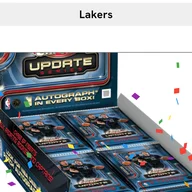
Onda app: the draw assigns the Lakers.Surprise setsSell every slot and Onda draws the team in front of everyone.
Invite to SpotlightUp to 4 guests on screen with you.
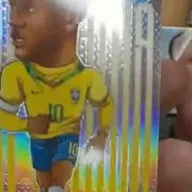
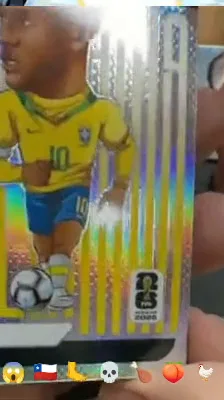
@CardCapital's second camera: a Neymar Jr. card in hand.Second cameraA close-up of the case from another phone, or from OBS.

Your break keeps selling after the live

  • The Neymar Jr. comes out of the case@CardCapital

  • A spot auction closes@DistritoHit

  • The Real Madrid spot climbs@TacoteMX
  1. Onda makes clips from your recorded live.
  2. Share them on WhatsApp or to your Instagram story; with Download you can post them to TikTok.
  3. Post them on your profile and tag who was there: your community relives the break.

Before, during and after your break

Onda app: “Pre-bid saved” on the Warriors with a MX$20 max and the alert on.

Before

  • Pre-bid by team
  • Buy now at your price
  • Pay in installments by card
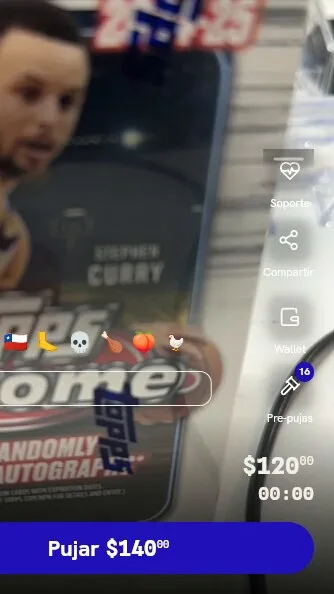
Onda app: “Warriors · On auction” with its clock and the Bid button.

Live

  • Every spot with its own clock
  • Automatic launches the next one
  • Surprise sets draw teams
  • Spotlight and a second camera
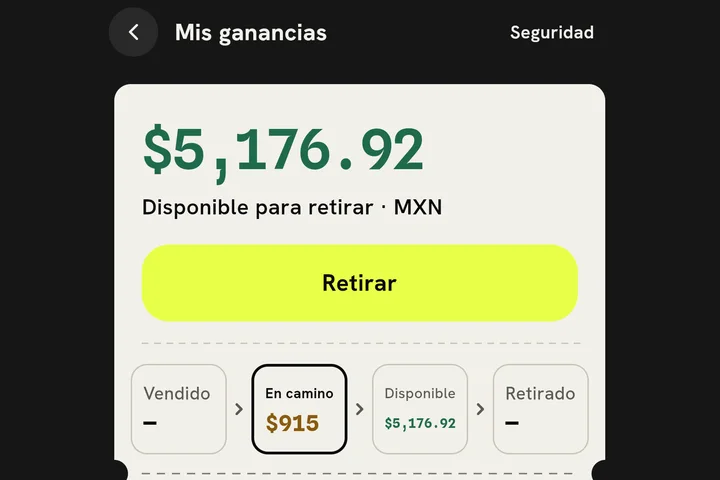
Onda app, My earnings: your balance available to withdraw and what's on the way.

After

  • My clips ready to share
  • One shipment and one label per buyer
  • Your sale ready to cash out

Today vs with Onda

Today, in groups and livesWith Onda
Spots with pre-bids in advanceTeam lists on WhatsAppSpots with pre-bids in advance
Buy now charges on the spotDM holds, payments still pendingBuy now charges on the spot
Every spot closes at its bidA fixed price per team, eyeballedEvery spot closes at its bid
Card installments, 3 to 12 monthsCash onlyCard installments, 3 to 12 months

13% + MX$3 + VAT per spot sold

What you're wondering before your first break

What if a spot doesn't sell?

Before the live, Pre-bid and Buy now are already finding it an owner. Live, with Automatic, a spot with no bids goes back in the queue once: you'll see “Next: Brazil · back because it had no bids.”

What if a great team goes for way too cheap?

You set the Starting bid for every spot, and pre-bids below it don't count. If you already have a price in mind, put it in Buy now price (optional).

What if the winner's card is declined?

The spot isn't handed over without payment. With Automatic, an unpaid spot goes back in the queue once and runs again.

When do I get paid?

Your sale becomes available 2 business days after the purchase, once the payment has cleared. For new accounts or high-value sales, Onda waits until your buyer receives it.

Who ships the cards?

You sort the hits by team. Onda bundles one shipment per buyer and gives you the label, or your buyer picks up with a PIN.

Your first break, step by step

In the app it's called “Spot auction.” You need Onda 3.0 or newer.
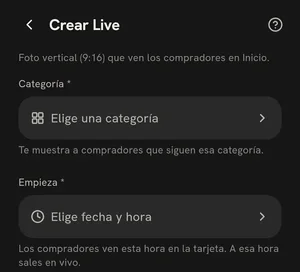
  1. The app's Create Live screen: cover, title and category.

    Tap Sell, then Schedule a Live. In Create Live, add a title, category and time.
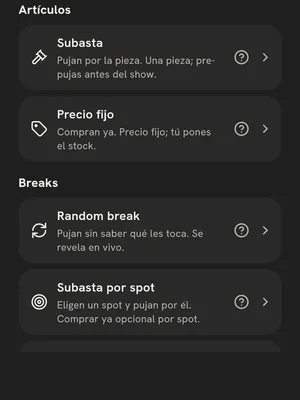
  2. The Add to the shop sheet with the Breaks section: Random break and Spot auction.

    In Prepare your show, tap Add to the shop and pick Spot auction.
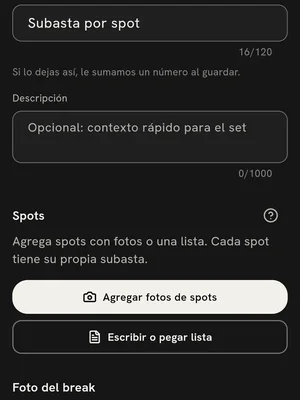
  3. The Spot auction screen with the Add spot photos and Type or paste a list buttons.

    Tap Type or paste a list and enter one team per line.
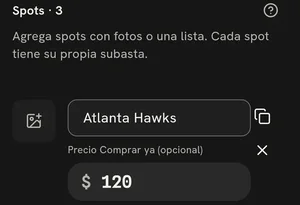
  4. A spot called Atlanta Hawks with a MX$120 Buy now price (optional).

    Give any team you want a Buy now price (optional) and save your break.
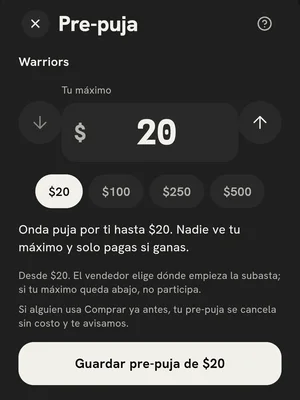
  5. The buyer's Pre-bid sheet: they pick a max and save it.

    Share your show: from then on, your buyers can Pre-bid.
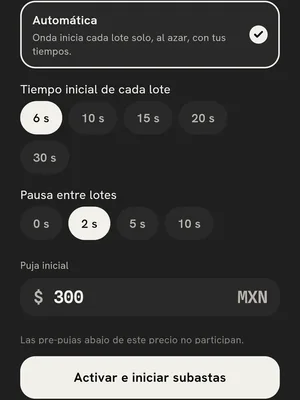
  6. The activation sheet with Manual and Automatic, the time for each lot and Activate and start auctions.

    Once you're live, pick Automatic and tap Activate and start auctions.

Your next case, spot by spot.

Publish your break and let pre-bids do the work before the live.