Your slow movers sell alongside your hit in a mystery box.
Buyers cut the tape, just like on Courtyard and Triumph.
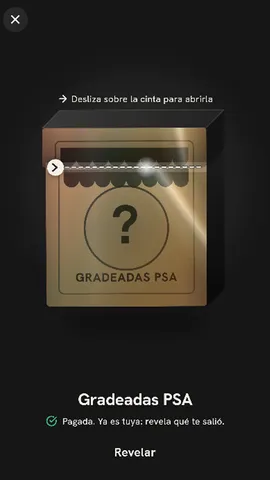
What inventory goes in a box
- A lot with one big piece
- Lots of cheap pieces and one big one.
- Single pieces
- Cards, figures or sneakers.
- Graded cards
- With Buyback, they go back in the box.
How your box breaks down
Each piece's value sets its tier.
- “Prize”
- The most valuable one.
- “High”
- Worth more than average.
- “Base”
- Everything else.
Your box holds your pieces in your packaging.
Build your mystery box › Design
- Tap Add → Mystery box and pick your pieces From your Inventory.
- Under Wrapper, leave Box.
- Tap Design with AI → Generate designs, or use Templates. AI designs only the packaging.
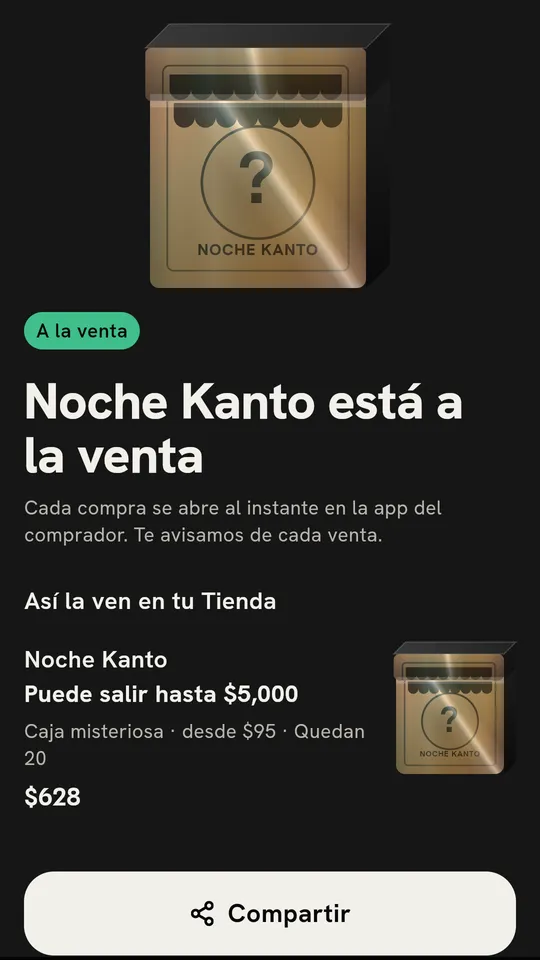
See what you make before you activate the box.
Profit if it sells out
- Enter each piece's Cost; your buyer never sees it.
- Compare “+10%” and “+20%” under Price per opening.
- Check Profit if it sells out and tap Activate.
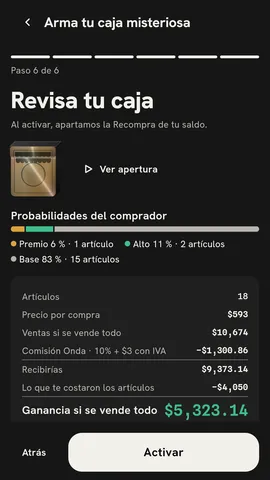
Run the numbers with your own
Buyback: the piece goes back in your box and sells again.
Do you offer Buyback?
- Pick “No” or “50%,” “70%” or “80% of value.”
- On opening, your buyer taps Accept Buyback or Keep it; they have 30 minutes.
- If they accept, they get Onda credits and the piece goes back in your box.
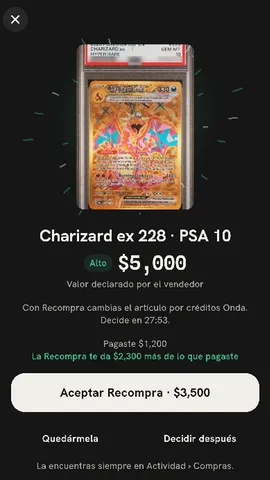
When your box gets opened
- Their piece comes outA real piece from your inventory.
- 30 minutes
- “Accept Buyback”They get Onda credits, not cash. The piece goes back in your box if it's still for sale.“Keep it” or time runs outYou ship it to them.
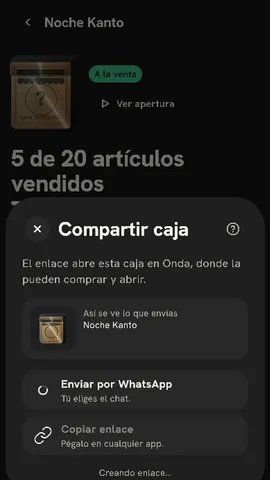
One link goes straight to your box, with its preview card.
Share › Copy link
- In your box, tap Share.
- Pick Copy link or Send on WhatsApp.
- Whoever opens it lands right on your box.
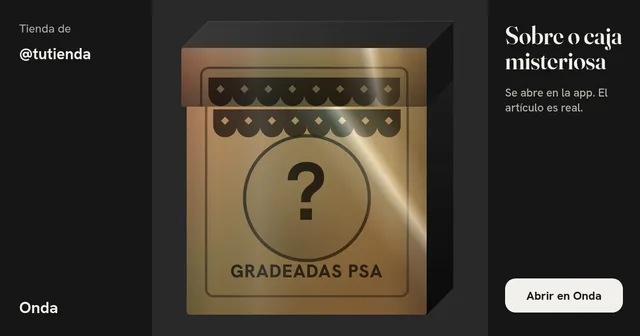
onda.lol/seller/tutienda/caja/…
Your buyer sees what can come out before paying.
Odds by tier
- Every piece falls into “Base,” “High” or “Prize” by its value.
- Before paying, your buyer sees Odds by tier and What can come out.
- Recently pulled shows the latest openings, without names.
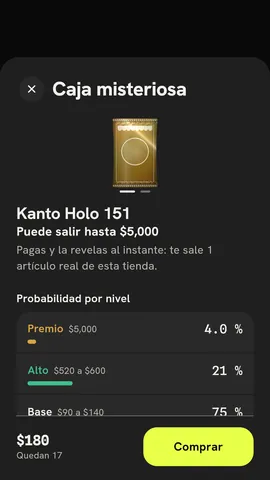
Once the last Prize is out, the price drops on its own, with your cost as the floor.
Price per opening
- Pick “+10%” or “+20%” over the average value.
- Every purchase costs the same.
- When the last Prize comes out, the price drops, but never below what covers your cost.
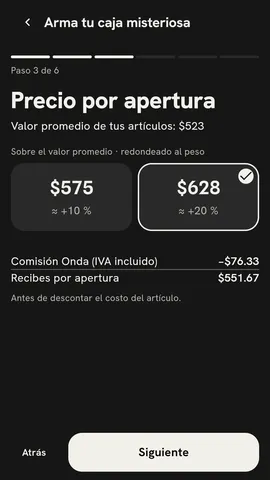
Try it: open one
- “Prize”
- “High”
- “High”
- “High”
- “High”
- “Base”
- “Base”
- “Base”
- “Base”
- “Base”
- “Base”
- “Base”
- “Base”
- “Base”
- “Base”
- “Base”
- “Base”
- “Base”
- “Base”
- “Base”
“Odds by tier”
Every opening recalculates them.
- “Prize”
- 5 %
- “High”
- 20 %
- “Base”
- 75 %
20 left. They all cost the same.
On your show, your buyer opens the box without leaving the live.
Show shop
- Activate your box; it shows up in the Show shop on every live.
- Your buyer pays and cuts the tape right on top of your show.
- You ship the piece they pulled.
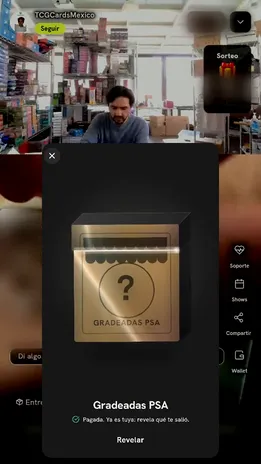
Before, during and after the show
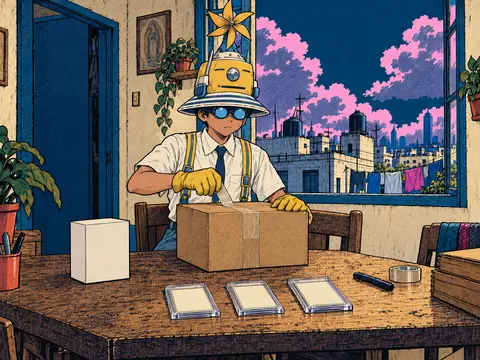
Before
You build the box and send the link.
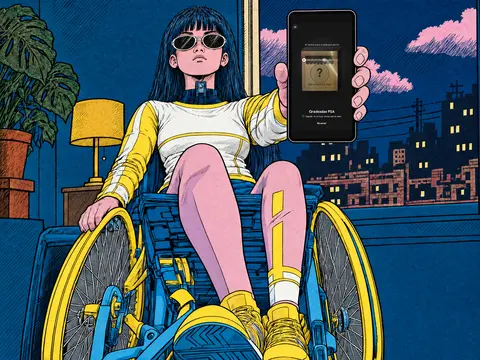
Live
Buyers open it in the app, from the Show shop.
Scene recreated with AI; the screen is the real app.
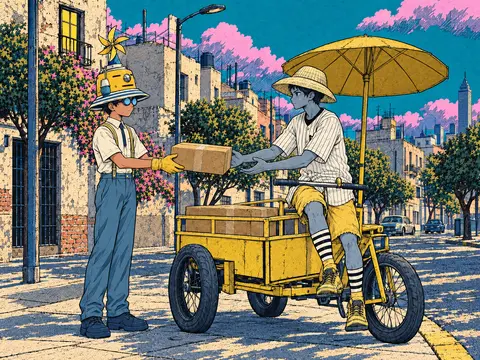
After
The link keeps selling and you ship each piece.


Your first box, step by step
In the app it's called “Mystery box.” You need Onda 3.0 or newer.
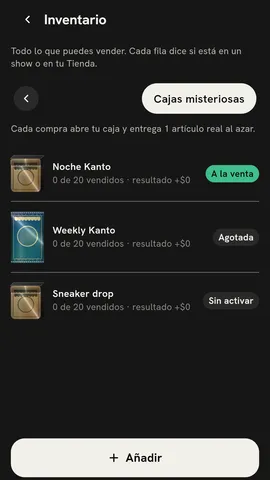
Tap Sell → Seller Hub → Inventory → Mystery boxes.
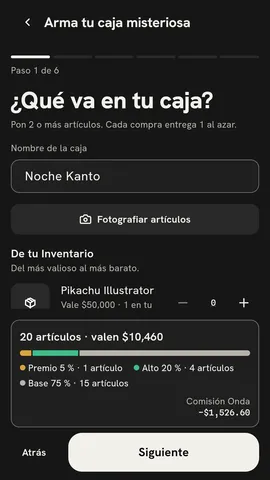
Tap Add → Mystery box. Pick your pieces From your Inventory and enter their Cost.
Under Price per opening, pick “+10%” or “+20%.”
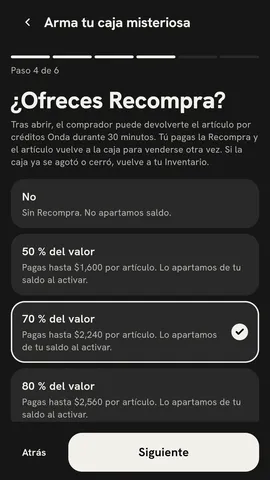
Under Do you offer Buyback?, pick a percentage or “No.”
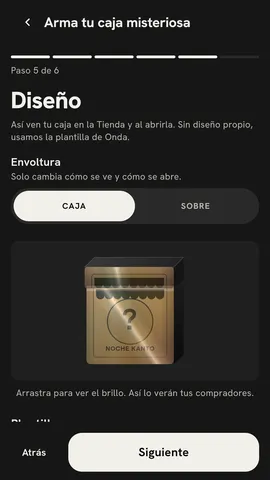
In Design → Wrapper, leave Box and choose your packaging.
In Review your box, check Profit if it sells out and tap Activate.
Today vs with Onda
| Today | With Onda | |
|---|---|---|
| One box with your whole lot | Lots on WhatsApp, photo by photo | One box with your whole lot |
| They pay before opening | DM holds that never pay | They pay before opening |
| A link with a preview card | A bare link on Instagram | A link with a preview card |
| Slow movers that sell with your hit | Slow movers gathering dust | Slow movers that sell with your hit |
The Courtyard and Triumph rip, with your stuff
| Courtyard and Triumph | Onda | |
|---|---|---|
| Pieces from your inventory | Cards from their inventory | Pieces from your inventory |
| Your box, designed with AI | Their packaging | Your box, designed with AI |
| Your buyers, your link | Their buyers | Your buyers, your link |
| Buyback: you pick the percentage | Buyback they set | Buyback: you pick the percentage |
| Rip on your show or link | Rip in their app | Rip on your show or link |
What buyers will ask (and what you answer)
Who pays for the Buyback?
What if the Prize comes out on the first opening?
Does the buyer get a box with several things in it?
Do I have to be live?
Does the AI make up pieces?
How much does Onda charge?
10% + MX$3 + VAT per opening sold
Your fee can vary; you see it in Review your box before you activate.