How much did you sell this week? “Like, a lot?”
Every number against last week.
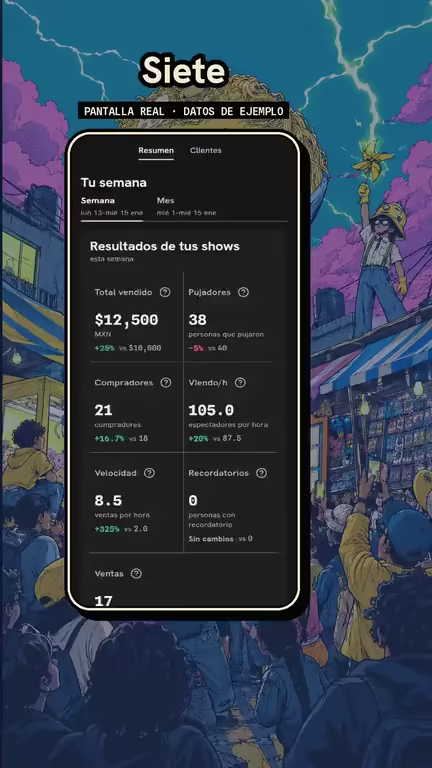
You know if you're doing better or worse.
Your numbers
- Seller Hub → Analytics.
- You see 7 numbers against last week.
- Tap one to see its curve.
Your week against the same part of last week.
This week
- M
- T
- W
- T
- F
- S
- S
Last week
- M
- T
- W
- T
- F
- S
- S
The week starts on Monday. If today is Thursday, it counts Monday through today and compares that with Monday through Thursday of last week, up to the same hour.
You go live when buyers are around.
Your market
- Open the hours map.
- See the hours with the most buyers and the fewest shows.
- Schedule your live there.
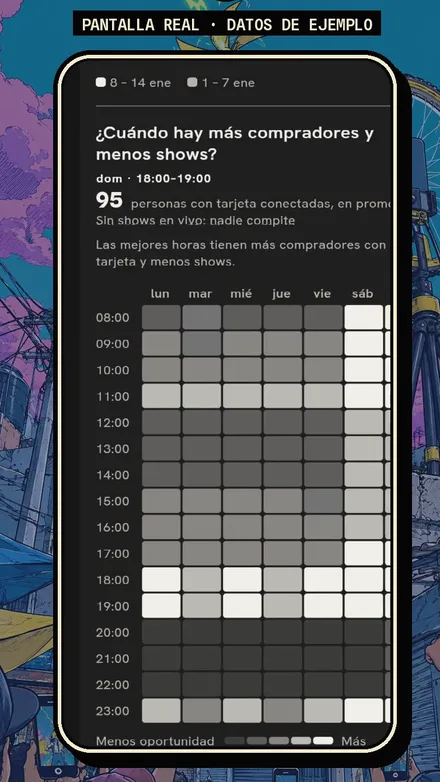
Your best customers come back.
Customers
- See who your returning customers are.
- Filter by, say, No purchase in 14+ days.
- Tap Message and invite them back.
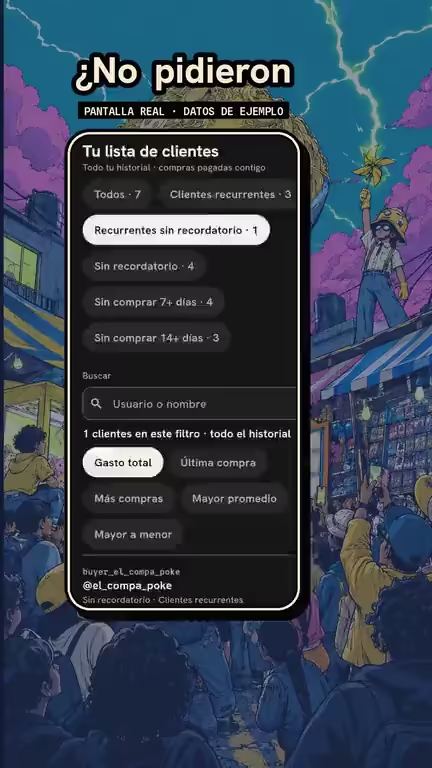
Who's cooling off, by days since their last purchase.
- Returning customers
- No purchase in 7+ days
- No purchase in 14+ days
Returning: 10 or more paid purchases, MX$3,000 or more in total and a purchase in the last 30 days.
How much did you sell this week? “Like, a lot?”
Every number against last week.